How it works
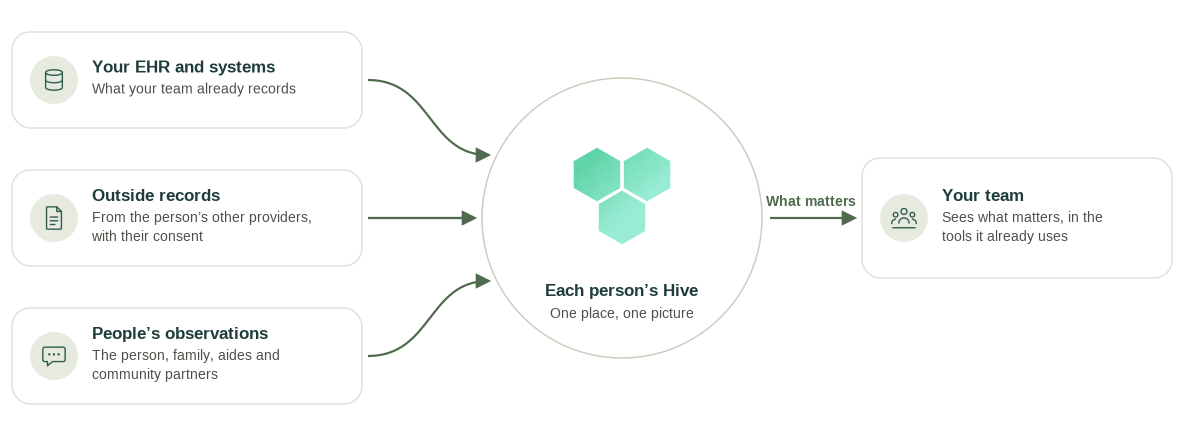
HealthHive ties together the systems, records and people around each person in your care.
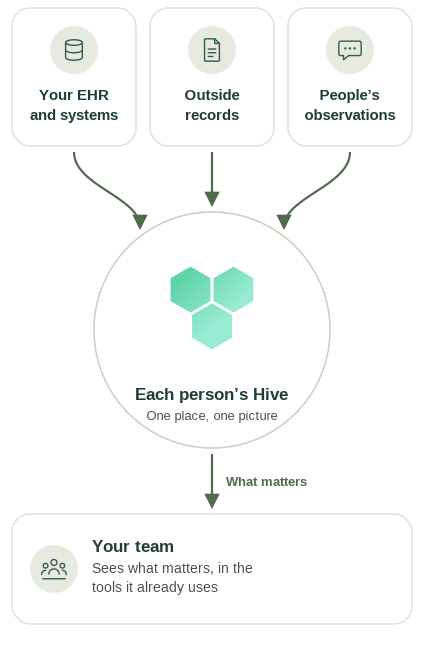
Your EHR and other systems come together in one place with the records the person brings from their other providers. So do the observations no system was capturing: what the person notices about their own health and life, and what family caregivers, aides and community partners see from day to day. Your team sees what matters, where it already works.
Connecting to your systems
Three ways information comes in, none of them by hand
Direct integration
Two-way EHR interoperability, so information and exceptions can flow back into the record your staff already use. Available today with PointClickCare.
Automated data imports
Where a direct integration isn’t in place, scheduled imports bring in the data you select without manual entry by your staff.
Through the individual
With no integration at all, consent from the person in your care can bring in records from over 80,000 care settings and their Medicare data, including full claims history for people in Original Medicare: the providers they’ve seen and the prescriptions they’ve filled.
The third path doesn’t depend on any integration, so an organization with none can still start with more of the person’s history than its own record holds.
The people around them
The constant is the person in your care and the people they trust
Settings change. Providers come and go. The Hive, the shared space HealthHive creates for each person, stays with the person, so continuity of care doesn’t depend on any one setting or staff member.
The person
Owns their Hive and decides who joins. A health care proxy or guardian can act as Co-Owner.
Family and friends
Share what they notice, see what’s expected and stay informed, often with nothing more than a phone.
Aides and clinicians
See the history and what has changed, whichever shift or agency they work for.
Organizations
Facilities, agencies, practices and community partners connect with the person’s consent, from the systems they already use.
Where it begins
HealthHive starts wherever your work does
Often it begins at a moment when the family and your team are already paying attention: an admission, a first visit, a move. After that, it simply continues.
A stay in a facility
Registration creates the Hive, so family and care partners are connected before the resident goes home.
The start of home care
A new client’s family and care partners are invited at the start of service.
A move into senior living
The resident’s family and outside clinicians join as the community gets to know them.
A care manager’s outreach
A plan or provider program invites the member and the people who help them.
A family on its own
Anyone can start a Hive for themselves or someone they care for.
Day to day
Your team sees only what matters
Most weeks, nothing needs your attention, and HealthHive doesn’t ask for it. Information comes together in the background, and your team hears about it only when it meets the rules you’ve set.
Everyone sees what matters to them
Updates, plans and records in one place, for each family member, aide and staff member, in the way that suits them.
What people notice adds up
Observations from family, aides and neighbors come together in one place, and those that meet the rules your team has set become signals.
Your team hears what it asked to hear
Signals you’ve marked as important arrive in your existing workflow, as notifications or in the Portal.
Tasks don’t fall between people
Who is doing what is clear, and what’s been missed surfaces to your team.
Care transitions
The moments connection matters most
Hospital-to-home transitions, a move or a decline: these are the moments when people who are already connected make the biggest difference, because the information they need is already in one place.
See one example in detail: a skilled nursing stay and the return home →
Your organization decides
Use what helps.
Every major feature can be turned on or off, and you select which data is shared from your EHR. One example configuration is shown here.
- Data shared from your EHRSelected fields
- Pre-selected resources and materialsOn
- Signals delivered to your teamOn
- Communication channelOff
- Care activities and surveysOn
- Exceptions returned to PointClickCareOff
Two sides of one picture
One space for the family, one view for your team
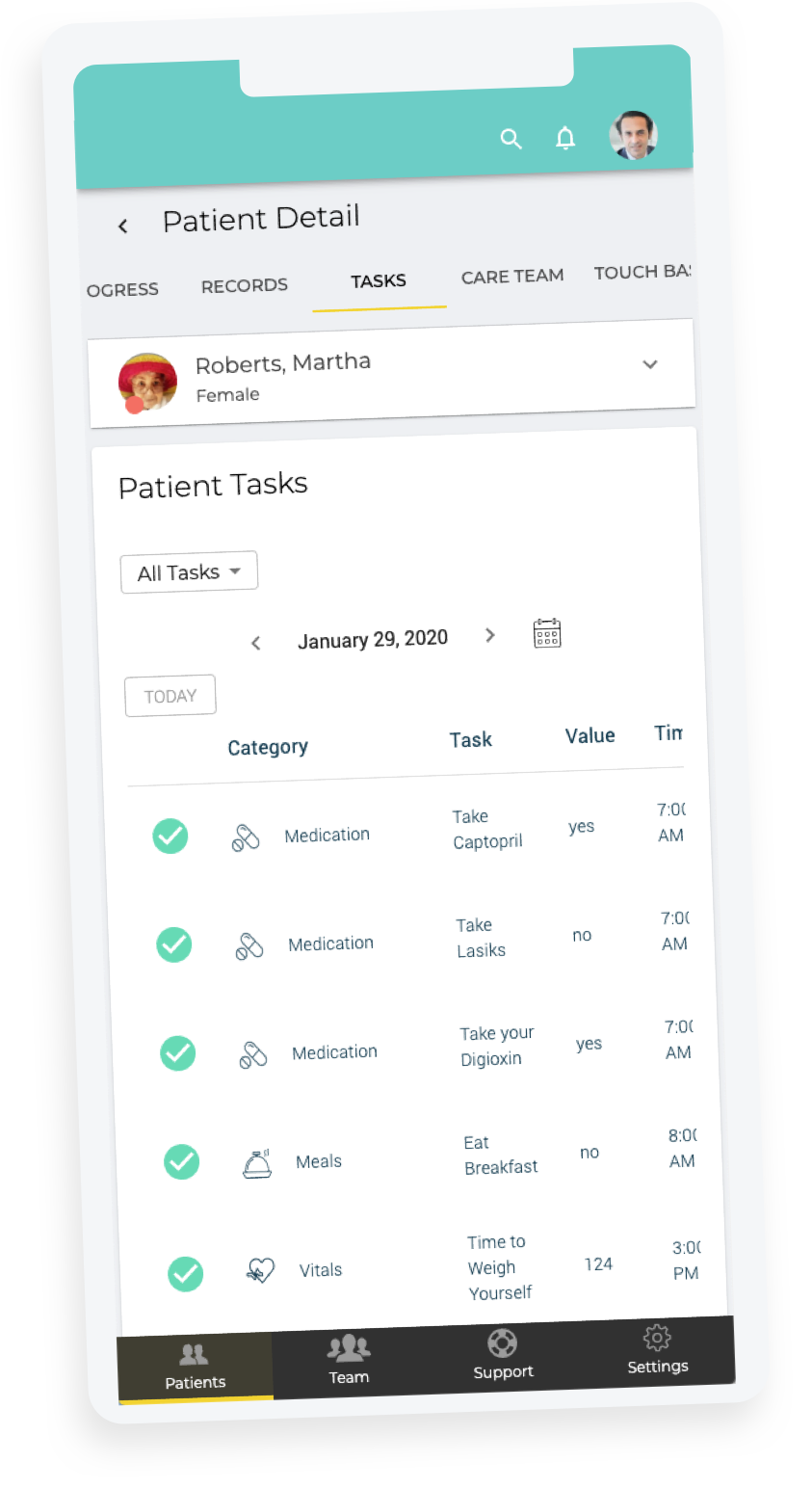
The Hive, for the person in your care and the people they trust
One place, owned by the individual, where family and care partners keep information, follow the plan and share what they see.
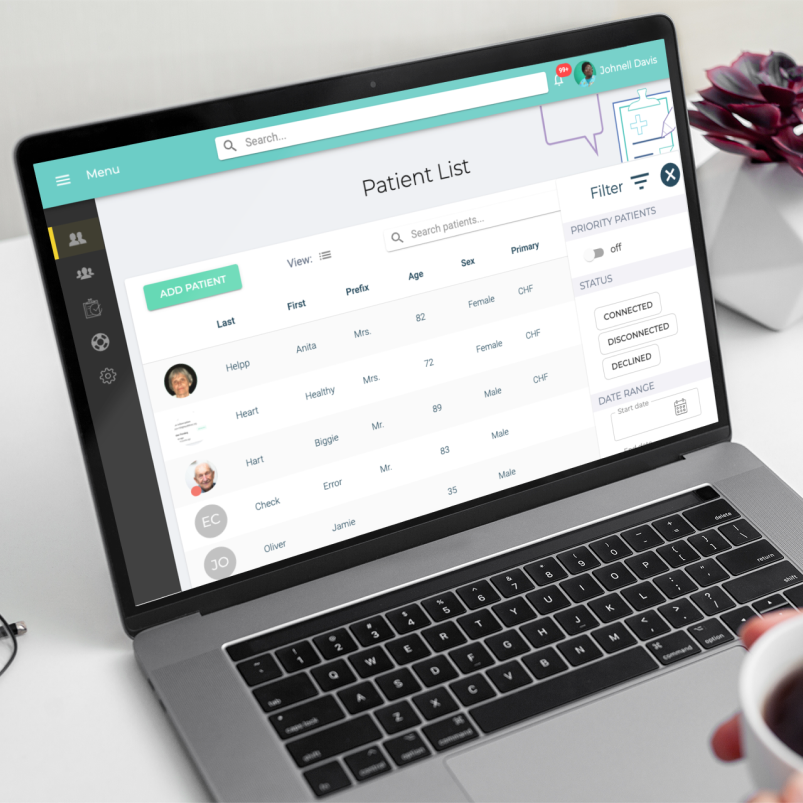
The Portal, for your team
Every organization has the Portal, and there are two ways to use it. Some teams work in it day to day, following signals, exceptions and the people they support. Others run HealthHive in the background, connecting their systems and sending what matters to the tools they already use, as notifications or, with a direct integration, inside their EHR. Once the individual consents, your organization decides which of its users can see their Hive.
Common questions
Do our staff need to learn a new system?
No. Teams that want a workspace use the Portal. Others run HealthHive in the background, and most staff see what matters as notifications or in the EHR they already use.
Who owns the data?
The individual owns their Hive. Your EHR remains your system of record, and your organization has access for as long as the individual grants it.
What if we use a different EHR?
You can still start. Automated data imports bring in the information you select without manual entry, and with consent from the person in your care, their Hive can bring in records from over 80,000 care settings regardless of what you use. HealthHive is designed to integrate directly with other EHRs where it makes sense for both sides.
Find your setting
Consent
Consent that preserves dignity
Each Hive belongs to the person in your care. They, or a Co-Owner they trust, decide who joins their Hive and what each member sees, and they can change their mind at any time. Separately, your organization may share its own records with community partners for care coordination as HIPAA permits; each disclosure is logged in the person’s Hive. You choose which of two consent paths fits your registration process.
In the app
The Hive is created at registration but holds none of your data until the person accepts it and gives consent electronically.
On paper, at registration
If your organization collects consent as part of registration, the Hive arrives with its content already in place.